Credit and debit cards
Credit and debit card simulator

Cards and billing
Everything you can do with your cards
-
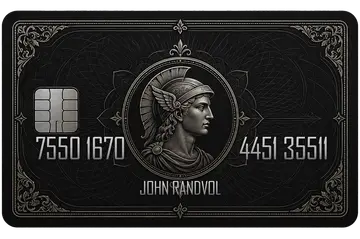 Premium
 -
 Black
Black -
 Wild
Wild -
 Navy blue
 -
 Bronze
Unlimited cards
Create all the debit or credit cards you want, with no limit, and link them to any of your bank accounts.
- Card name My business
- Holder John Randvol
- Card number 4929 1234 5678 9010
- CVC 123
- PIN ••••
- Opening / Expiry 09/24 – 09/29
- Spending limit 5,000.00 EUR
- Data on the card Position, font, color, size and visibility
- Pre-generated movements Purchases, withdrawals, payroll, subscriptions…
On credit cards you also edit the statement date, the due date, the late fee and the monthly interest.
Control every detail
Check and edit any detail of your card. Don't like the holder's name? Change it. Not even the card number? That too.
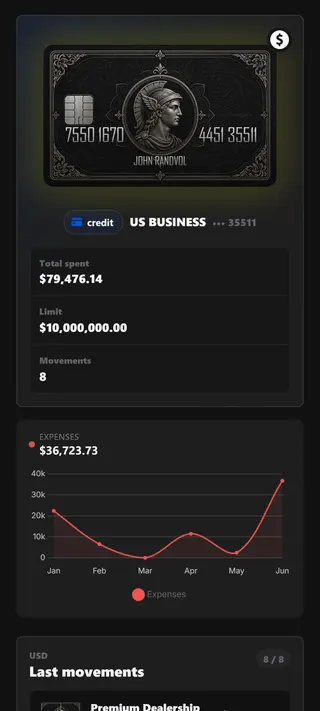
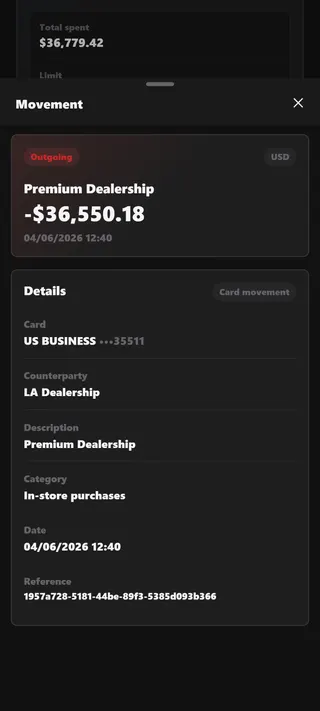
Statements and charts
Check your latest movements with detailed statements and charts. Every detail, just like at the bank.
Card actions
Use it like a real card
- Pay for anything Pay for anything with the card and customize descriptions and amounts.
- Request refunds Request refunds with the descriptions and amounts you decide.
- View and change the PIN Check and edit your card's PIN whenever you want.
- Freeze the card Freeze it instantly so no more spending can happen.
- Cancel it Tired of this card? Cancel it without any hassle.
Credit cards
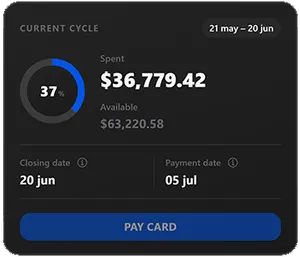
A billing cycle just like the real thing
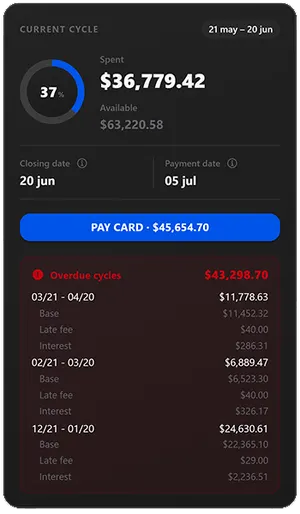
With credit cards you track your current cycle: what you've spent and the statement and due dates. Just like a real credit card.
- Current cycle and accumulated spending
- Statement date and due date
- Late fee and monthly interest
What sets us apart
Frequently asked questions
How many cards can I create?
As many as you want. You can create unlimited debit or credit cards and link each one to any of your bank accounts.
Can I pay and request refunds with the card?
Yes. Pay for anything with your card and request refunds, customizing the descriptions and amounts in both cases.
Can I change the number, holder or PIN of the card?
Completely. You can check and edit every card detail: the holder name, the number, the CVC, the PIN, the spending limit and much more. If you don't like something, change it.
Do credit cards have a billing cycle?
Yes. Credit cards have a real cycle: track what you've spent, the statement and due dates, plus the late fee and the monthly interest.